SKU
514998

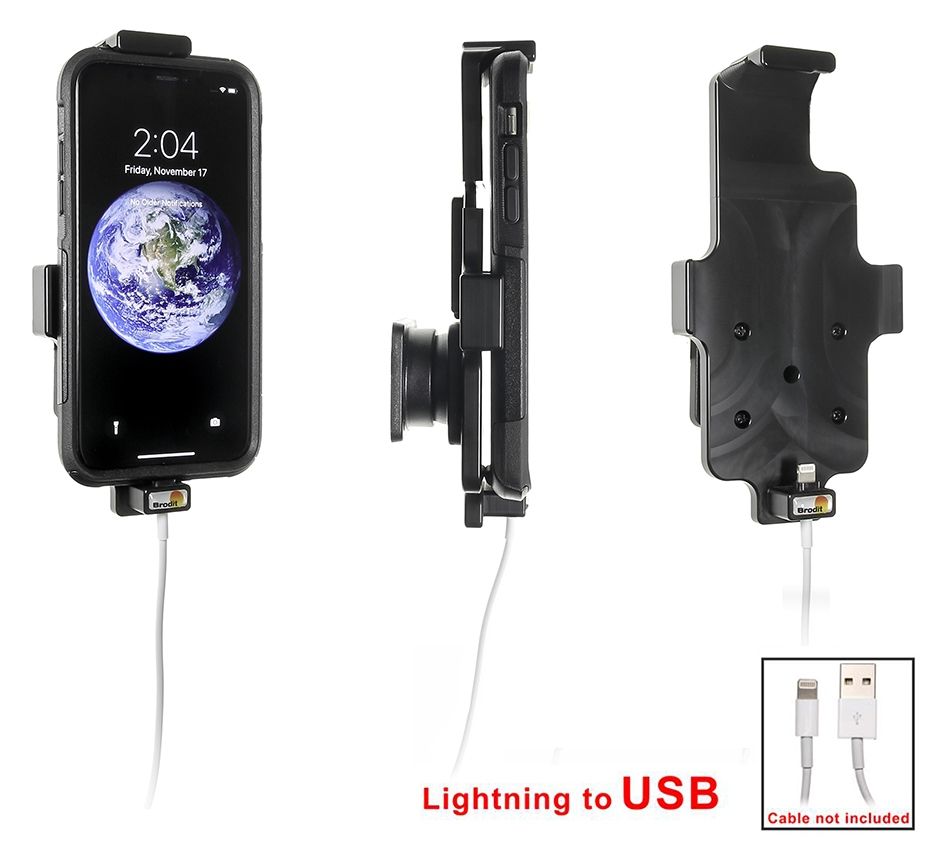
Brodit houder iPhone X/Xs (144-150/2-11mm) lightning->USB

Preis 57,95 €
Auf Lager
-
+
  • Schneller Versand
  • Hochwertige Produkte
  • Sichere Zahlung
Details
Für Apple original Lightning to USB Kabel. Mit Kugelgelenk. Passt für Geräte mit Skins mit die folgenden Dimensionen: Höhe: 144-150 mm, Breite: 78 mm, Dicke: 2-11 mm.
Weitere Informationen
Zubehörmarke Brodit
Barcode 7320285149984
Empfohlener Verkaufspreis inkl. MwSt 57,95 €
Haltereigenschaft Toestelspecifiek
Gerät laden über lightning
Gerät mit oder ohne Hülle miet Deckel
Halterbreite / -höhe 144-150 mm - 78 (b) mm
Haltertiefe / -dicke 2-11 mm
Cable / Qi / charger type / connnector passive
Stromspannung gilt nicht
Voltage (output) gilt nicht
Max Amperage n.v.t.
Montage standaard AMPS
Halterschloss nein
Color zwart
Produktinformation Professioneller Halter mit Drehgelenk für Ihr Smart Device. Störende Bildschirmreflexionen werden durch Einstellen des Halterungswinkels reduziert
Produktinstallation Montieren Sie den Halter an einem ProClip in Ihrem Fahrzeug. Eine ausführliche Installationsanleitung ist in der Produktverpackung enthalten
Produkt geeignet für info Überprüfen Sie auf der Registerkarte Kompatibilitätsliste, ob ein Smartphone, ein Navigationssystem oder ein Tablet für diesen Halter geeignet ist
Item Returns This item can be returned
Mehr anzeigen + Zeige weniger -
Compatibility
Mehr anzeigen + Zeige weniger -
Instruction
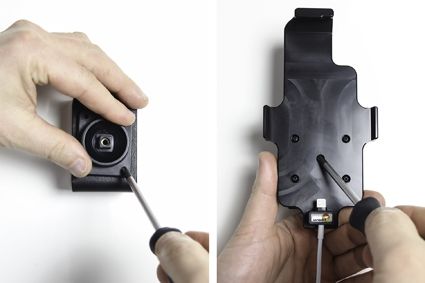
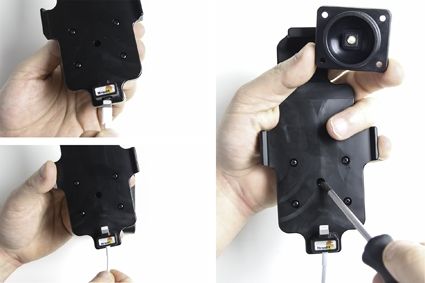
1. Place the connector of the cable in the hole in the lower part of the holder. Carefully press the connector downward and forward so it passes the locking and goes into the hole. Press until you hear/feel the connector snap into place in the holder. Loosen the screw in the center of the holder so you can remove the tilt swivel attaching plate on the back.
2. Place the attaching plate onto the desired position. Screw the attaching plate into place with the enclosed screws. Place the holder over the attaching plate so the screw fits in the hole in the tilt swivel. Tighten the screw firm at first, then loosen it a bit so the holder is firmly in place, but still can be adjusted.
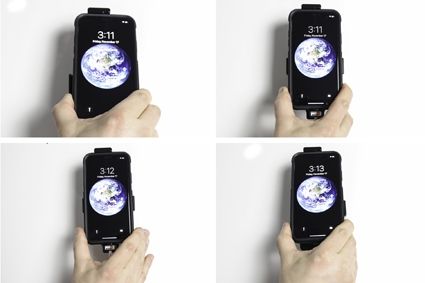
3. To place the device in the holder: Place the upper part of the device in the upper part of the holder and press it upward so the top part of the holder slides upward. Press the lower part of the device forward into the holder. When the device is placed straight over the connector in the holder, take the device straight downward so the connector is connected. Carefully, press striaght downward on top of the device until you hear/feel it snaps into place. To remove the device from the holder: Press the device straight upward so the top part of the holder slides upward. When the device is set free from the connector, pull the lower part of the device toward you and slide the device downward out of the holder.
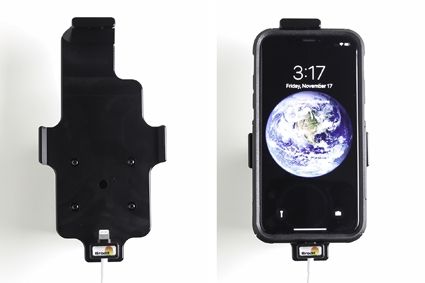
4. The holder is in place.
Scroll to top